


Gallery- Photo Gallery & Album
4.61.13K Reviews
App Specs
- Version
- 2.7.6
- Updated On
- License
- Free
- Downloads
- 10,000,000+
- Developer
- Mobile_V5
- Categories
- Photography
- Platform
- Android, iOS
Screenshots
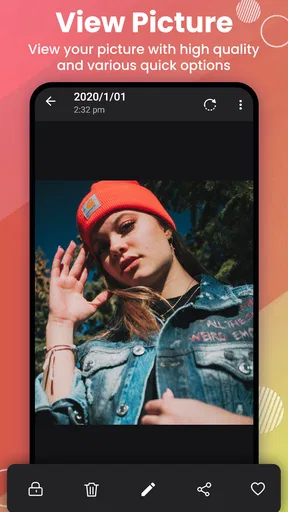
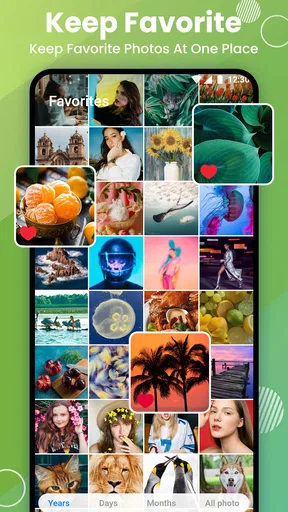
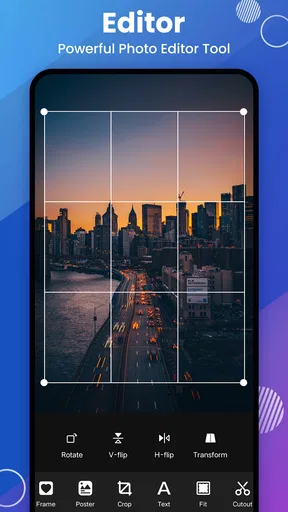
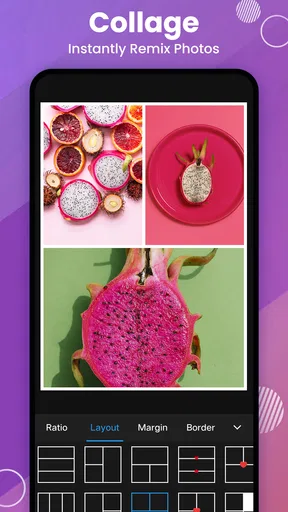
 Analysis by AppCompare
Have you ever found yourself scrolling endlessly through your phone, trying to locate that one perfect photo from last summer? If so, you're not alone. Luckily, there's an app that could help end your photo-finding woes: Gallery - Photo Gallery & Album. I recently took it for a spin, and let me tell you, it was quite the experience.
Starting with a crowded camera roll
A photo library rarely gets messy all at once. It grows through quick snapshots, saved images, screenshots, and videos that pile up while you are busy doing other things. I find the real test of a gallery app is not whether it can display a handful of pictures neatly, but whether it helps me move from “I know I took that” to actually finding and using the right image.
This is a photography app from Mobile_V5, aimed at everyday library management rather than professional image editing. It is free to download, rated for Everyone, and has a 4.6 average from around 257,000 ratings, with over 10 million installs. Those figures suggest that many people use it as a practical gallery alternative, but popularity alone cannot make a cluttered collection easier to handle; the routine matters more.
On a normal day, I might take several pictures of a meal, save a receipt, and record a short clip, then need one of them later to send to a friend or check a detail. A useful gallery should let me browse without turning that simple errand into a sorting project. This app’s appeal is that it brings viewing, album organization, privacy controls, and basic editing into one place.
First Impressions and Setup
Downloading Gallery - Photo Gallery & Album was a breeze. It’s lightweight and installed in a jiffy. The first thing that struck me was the sleek and intuitive interface. Right off the bat, it felt like an app that wouldn’t take a manual to navigate. The clean design kept things simple without sacrificing functionality.
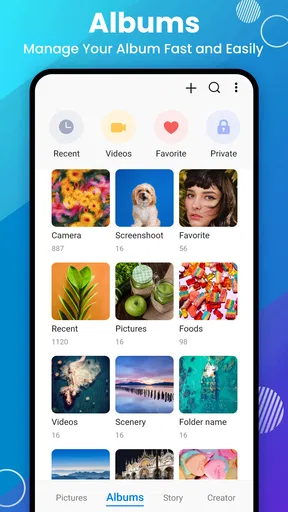
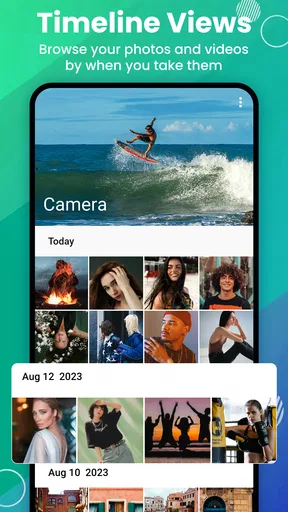
Setting up was straightforward. The app automatically organized my photos into albums based on date and location, which was a nice touch. It felt like the app was reading my mind, knowing exactly how I wanted things to be organized.
Features That Stand Out
The app is packed with features that make managing photos a joy rather than a chore. Here are some of the highlights:
Worth Reading Before You Choose

EA SPORTS FC Mobile 26 Is a Bigger Football Game, but It Takes Time

Flipboard Shows What News Apps Must Do Beyond the Feed

Switching to Android Auto Means Rethinking Your Driving Routine

Google Calendar Makes a Crowded Week Easier to Manage

Ludo King Makes the Most of the Minutes Between Plans

Baby Panda World Brings Quick Play to Modern Phones, but Its Game Library Feels Busy
- Smart Albums: Automatically sorted albums based on criteria like date, location, and even facial recognition. It's like having a personal assistant for your photos.
- Photo Editor: A surprisingly robust editor is built right in. Crop, adjust colors, and add filters without needing a separate app. Perfect for those Instagram-ready shots.
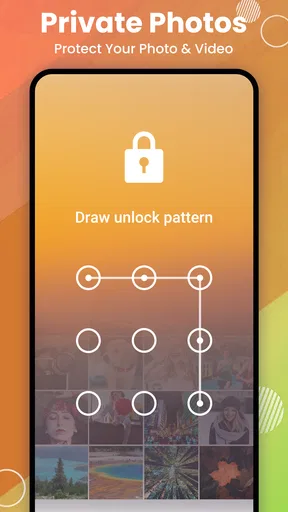
- Privacy Features: You can create private albums that are password-protected, which is a lifesaver for those personal photos you’d like to keep under wraps.
- Cloud Backup: Seamlessly back up your photos to the cloud, ensuring that you never lose those precious memories.
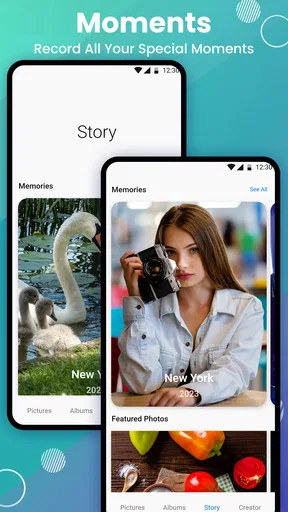
One of the coolest features is the ability to create slideshows. It’s perfect for showing off a recent vacation or a family gathering, and you can even add music to set the mood.
A useful routine from sorting to sharing
The best way I would use the automatic albums is as a first pass, not as a substitute for every personal folder. Date and location can quickly narrow a search after a trip, while a small number of manually meaningful albums can keep recurring subjects—family events, home projects, or inspiration images—easy to reach. That division avoids the common trap of trying to build a perfect filing system for every single shot.
There is also a practical distinction between organizing for discovery and organizing for sharing. If I need to send one picture, I can browse to it, make a modest crop or color adjustment in the built-in editor, and then hand it off through the phone’s usual sharing options. For a set of holiday photos, a slideshow gives me a more presentable way to show several images together. These are different jobs: editing tidies an individual picture, while an album or slideshow helps someone else follow a group of them.
A small but valuable habit is to decide what an album is for before adding pictures to it. “Receipts to check” is a temporary working collection; “Family” is an ongoing one. Keeping those purposes separate makes it easier to clear out the temporary group later without disturbing photos I want to keep organized. This is a workflow tip, not a claim that the app automatically knows which images matter.
Performance and Usability
The performance of the app was stellar throughout my time using it. Switching between albums and opening photos was smooth, with no noticeable lag. Given that I’m often impatient with tech that makes me wait, this was a huge plus.
Usability is where this app truly shines. The developers clearly put a lot of thought into making sure everything was where you’d expect it to be. The learning curve is virtually nonexistent, making it accessible for all ages.
Where the handoffs need care
Private albums are most useful when I treat them as a boundary inside my gallery, rather than a complete backup or a replacement for careful device security. Before moving sensitive pictures, I would check how the app’s private area behaves on my own phone and make sure I understand how to retrieve those images when needed. A password-protected album can reduce casual access, but it is still sensible to keep important files backed up somewhere I trust.
Cloud backup is another handoff worth thinking through. It can protect a collection if a device is lost, but backup is only reassuring when I know which service is involved and can access the account holding the copies. I would verify that a few recent images have actually arrived before relying on it for a whole library. If you already have a carefully maintained cloud photo workflow, check whether adding another gallery’s backup path simplifies things or merely creates a second place to manage.
The same caution applies when editing. I use a crop or light color adjustment for a quick share, but keep the original in mind before making changes to a photo that has documentary value, such as a receipt or a reference picture. For complex retouching, layers, or precise control, a dedicated editing app is the better tool. This gallery is most convincing when it keeps everyday tasks together, not when it tries to replace specialist software.
Room for Improvement?
No app is perfect, and while Gallery - Photo Gallery & Album is impressive, there are a couple of areas where it could improve. For one, while the photo editor is robust, it could benefit from more advanced features for those who want to do more intricate editing.
Additionally, while the app supports cloud storage, it’s somewhat limited in terms of integrations. Expanding support for more cloud services would be a welcome addition for those who use multiple platforms for storage.
Who will get the most from it
I would recommend this app to someone who mainly wants a straightforward place to browse, sort, protect, and lightly edit pictures without jumping among several tools. It fits a family member who wants albums that make sense at a glance, or a casual photographer who likes to clean up a shot before sending it. The Everyone content rating also makes it suitable for a broad audience, though parents should still use their own judgement about shared devices and private images.
On the other hand, I would skip it if my priority were a deep editing workspace, a highly customized professional photo archive, or a single tightly integrated cloud library across several services. In those cases, the phone’s built-in gallery may be enough, while a dedicated editor or the cloud provider’s own photo app may offer a better fit. The trade-off is convenience versus specialization: Gallery brings several common tasks together, but that does not automatically make it the strongest tool for every one of them.
For someone moving from a default gallery, I would test it gradually. Start by browsing a familiar date range, make one album you know you will use, and try a harmless edit on a copy or an unimportant image. Then check the privacy and backup routines before trusting them with anything sensitive or irreplaceable. This gives you a practical sense of whether its organization matches the way you think, without committing your whole library to a new habit on day one.
Final Thoughts
All things considered, Gallery - Photo Gallery & Album is a fantastic app for those looking to get their photo libraries under control. It’s easy to use, loaded with features, and performs exceptionally well. Whether you’re a casual snapper or a photo enthusiast, this app has something to offer.
If you’re tired of losing track of your photos or just want a better way to organize them, this app is definitely worth checking out. Happy organizing!
The current version is 2.7.6 and requires Android 6.0 or later. It is free, with optional in-app purchases priced from $1.99 to $9.99 per item. I would treat those purchases as a reason to review what is included before paying, rather than assuming every useful part requires an upgrade. For a simple gallery routine, the free starting point may be all you need; the right choice depends on whether its day-to-day organization and privacy tools solve a real annoyance for you.
Pros
- Intuitive and user-friendly interface.
- Supports a wide range of image formats.
- Offers robust organizational tools.
- Fast and responsive performance.
- Includes built-in photo editor.
Cons
- Limited cloud storage options.
- Ads can be intrusive at times.
- No support for RAW files.
- Occasional crashes reported.
- Customization options are limited.
FAQs for Gallery- Photo Gallery & Album
What features does the Gallery- Photo Gallery & Album app offer?
The Gallery- Photo Gallery & Album app provides a range of features, including the ability to organize photos into albums, easy sharing options, and a secure lock function for private images. Additionally, it offers a sleek, user-friendly interface, allowing users to easily edit and enhance photos with built-in tools.
Is the Gallery- Photo Gallery & Album app secure?
Yes, the app offers several security features to protect your photos. It includes a password-protected lock option for private albums, ensuring that sensitive images remain secure. This feature is particularly useful for users who prioritize privacy and want to keep certain photos hidden from others.
How does the app handle photo organization?
The app automatically organizes photos by date and location, making it easy to find specific images. Users can also create custom albums and tags for further organization. This functionality helps in managing large photo libraries efficiently, ensuring that users can quickly access the photos they want.
Can I edit photos within the Gallery- Photo Gallery & Album app?
Yes, the app includes a variety of editing tools to enhance your photos. Users can crop, rotate, and adjust brightness and contrast. Additionally, there are filters and effects available to give your images a creative touch. These tools make basic photo editing convenient and accessible directly within the app.
Does the app support cloud backup for photos?
The app offers integration with various cloud services for backup, ensuring your photos are safe and retrievable in case of device loss or damage. This feature provides peace of mind by automatically syncing your photo library with cloud storage, allowing easy restoration anytime.


